

The furniture plan may show a desk and chair. The electrical design has to account for how the workstation will actually be used.
I once inventoried the equipment used by an employee whose company was preparing to relocate.
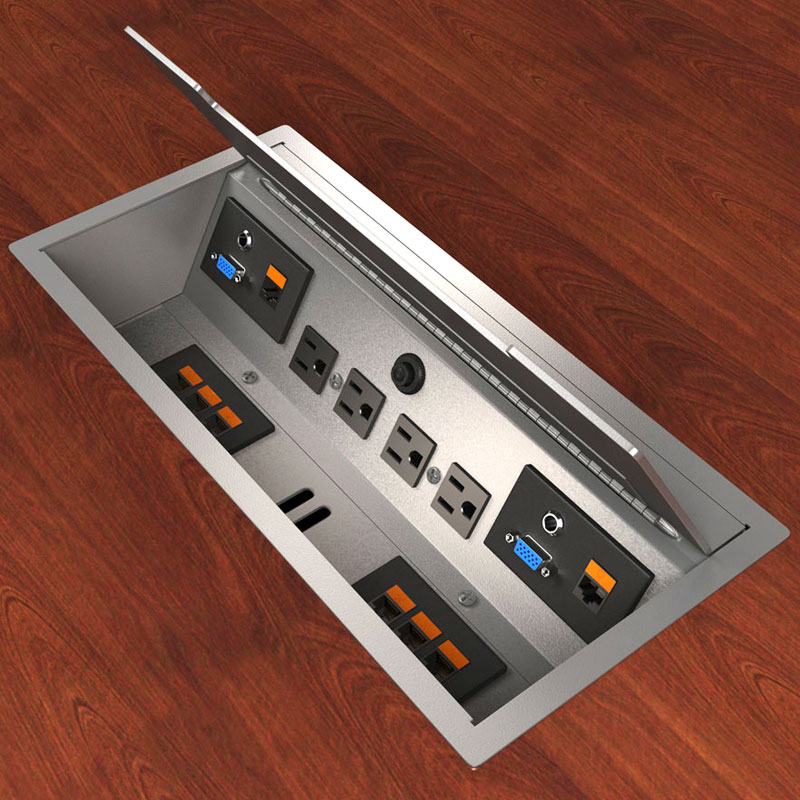
Her existing workstation had only two duplex receptacles—four places to plug something in.
Then I counted what she actually used:
- PC
- Two monitors
- Printer
- Scanner
- Pencil sharpener
- Label maker
- Radio
- Fan
- Cell phone charger
- Tablet or laptop
That’s 11 devices competing for four receptacles.
The obvious response is that nobody needs all 11 plugged in simultaneously.
Maybe.
But that isn’t the question I would want the project team answering after the furniture has been ordered and the electrical design is complete.
I’d want someone to ask much earlier:
“What are people actually going to plug in here?”
The Furniture Plan Doesn’t Answer the Electrical Question
A workstation can look perfectly resolved on a furniture plan while the power serving it is inadequate, inconvenient or poorly coordinated.
The furniture designer is thinking about workstation configuration.
The electrical engineer is designing circuits and power distribution.
IT is thinking about computers, monitors and network equipment.
The furniture manufacturer may have its own power-distribution system and limitations.
And the employee may arrive with equipment nobody included in any of those conversations.
None of those parties necessarily has the complete picture unless someone deliberately puts it together.
That’s the coordination issue.
Count the Devices Before Designing the Solution
The device mix has changed considerably since I first wrote about this problem.
Some equipment has disappeared. Other devices have been added. Laptops, docking stations, multiple monitors, USB and USB-C charging, sit-stand desks and other powered accessories can all affect workstation requirements.
Hybrid work can complicate the question further. A workstation that is assigned to one employee may have different requirements from a shared or hoteling station expected to accommodate multiple types of users and devices.
So I wouldn’t begin by deciding how many receptacles every workstation should have.
I’d begin with the use case.
What equipment does this workstation need to support?
Then the project team can determine the appropriate furniture power configuration, receptacles, circuits and charging provisions.
Don’t Design Around the Extension Cord
When people don’t have convenient access to enough power, they find a way to get it.
That may mean power strips, extension cords, adapters or other arrangements that were never part of the design.
Whether a particular device or configuration is permitted depends on the equipment, application, applicable codes, listing requirements, building rules and the authority having jurisdiction. That’s why I wouldn’t reduce the issue to a blanket rule about whether power strips are allowed.
The more useful owner-side question is:
Why are occupants having to improvise in the first place?
If a newly built workstation immediately requires a collection of add-on devices just to support ordinary business equipment, the project may not have adequately coordinated the workstation with the way it will be used.
Furniture and Electrical Design Need to Meet
This becomes particularly important with systems furniture.
Power distribution may be integrated into the furniture, and changing the number or location of receptacles after procurement may be more complicated than adding another wall outlet.
There are also decisions about where power enters the furniture system, how circuits are distributed, what equipment will be connected, and whether dedicated or other specialized power is required.
Those decisions shouldn’t happen independently.
Before the furniture package and electrical design are finalized, I would want the furniture vendor, electrical engineer, IT team and project team working from the same assumptions.
And I would want those assumptions tested against the people who will actually occupy the space.
Walk the Existing Office Before Designing the New One
One of the easiest ways to understand workstation requirements is to look at what employees are using now.
Don’t just count receptacles.
Look under the desks.
What is plugged in?
What has been added over time?
Where are people using power strips or extension cords?
Are chargers occupying receptacles intended for other equipment?
Are employees bringing in fans, heaters or other devices because of another building problem?
What looks like an electrical issue may reveal something else the project needs to address.
The existing workplace can tell you quite a bit about what the new workplace needs—if someone bothers to look.
Ask Before the Furniture Is Ordered
The cost of addressing workstation power during design is generally very different from discovering the problem after furniture installation.
By then, the team may be dealing with completed electrical work, purchased furniture components, fixed circuiting and an approaching move date.
That’s a poor time to discover that four receptacles were based on an assumption nobody tested.
Before approving the workstation package, I would ask:
“Show me what we’re assuming gets plugged into this workstation.”
If nobody can answer, the design isn’t finished.
Leadership Takeaway: A workstation isn’t fully designed because it fits on the furniture plan. Test the electrical and furniture design against the equipment people will actually use, and resolve the coordination before procurement and installation—not after employees start looking for somewhere to plug in.
About the Author: Richard Neuman advises organizations on capital planning, project governance, and complex capital programs. He has overseen more than $2 billion in capital investments across commercial real estate, healthcare, utilities, industrial, broadcast, and development projects.
He writes candidly from an owner-side perspective about the executive decisions and organizational dynamics that shape capital project outcomes.
Leading a major capital program or facing a complex capital decision?
Contact Richard.
Subscribe for insights on capital planning, project governance, and the executive decisions that shape project outcomes long before construction begins.


Excellent points all around. Technology is moving faster than codes can keep up!!
As an IT professional I am far more focused on the Surge Protection aspects of those power strips than I am with the outlet expansion aspects. Even in situations where there are more than enough outlets for the installed equipment I prefer to see that equipment connected to a surge protector to mitigate the effects of electrical spikes on electronic equipment. These surge protectors, with built in circuit breakers, also allow one user with a space heater to overload and pop their own breaker without affecting the whole cubicle line on that circuit.
I understand that laws must be complied with, but this shows an example where the laws have not kept up with the reality of office life.
David G. Hoch
DGH Technologies, Inc.