Moving the equipment is the easy part. Making sure people can work when they arrive requires coordination long before move day.
Originally published February 11, 2013. Updated October 2026.
An office can be physically ready for occupancy and still not be ready for business.
The furniture is installed. Boxes are at the right workstations. Employees arrive Monday morning.
Then the calls begin.
A monitor isn’t working. Someone cannot connect to the network. A conference room will not recognize a laptop. A printer is missing. A phone number did not transfer correctly. An employee has the wrong docking equipment.
Individually, these may sound like small problems.
Across an entire office, they can turn the first day in a new workplace into an operational failure.
Technology Has Its Own Move Plan
Technology is sometimes treated as equipment that simply follows the employee from the old location to the new one.
It is more complicated than that.
Some equipment moves. Some gets replaced. Some stays behind. New equipment may be installed at the destination. Network connections, telecommunications, audiovisual systems, printers, access systems and other technology may have separate vendors and implementation schedules.
Someone needs to see those activities as one coordinated workstream.
That responsibility should be established well before the move.
Decide What Is Moving Before Move Weekend
The project team should not be figuring out equipment disposition while employees are packing.
IT should know what is moving, what is being replaced and what employees are expected to take with them.
That includes the less obvious pieces.
Monitors, docking stations, power supplies, specialty peripherals, headsets and other accessories can easily become separated from the people or equipment they support.
Clear inventories and labeling matter, but the larger owner-side question is whether the technology move has been planned with the same discipline as the physical move.
Test the Destination, Not Just the Equipment
A computer that worked Friday afternoon at the old office does not prove that the employee’s workstation will work Monday morning at the new one.
The destination has to be ready.
Network connectivity needs to be live. Wireless coverage needs to work where people will actually use it. Printers and shared devices need to be configured. Conference-room technology needs to communicate with the organization’s platforms. Phones and telecommunications need to be operational.
And employee workstations need the correct combination of equipment, connectivity and access.
The important test is not:
“Did everything get moved?”
It is:
“Can people work?”
Build Technology Into the Move-Day Verification
Before employees arrive, the team should have a defined process for verifying critical technology.
That does not mean testing every possible function at every workstation.
It means identifying what has to work for the business to operate and assigning responsibility for confirming it.
The verification plan should also establish how problems will be reported, triaged and resolved once employees arrive.
On a large relocation, dozens of small technology issues can appear simultaneously. Without a clear support structure, the project team can spend the first day simply trying to determine who owns each problem.
The First Morning Is Part of the Project
There is a tendency to think of the move as the finish line. It isn’t.
The real test comes when employees sit down and try to work.
A successful relocation does not end when the last box reaches the new office. It ends when the workplace supports the business it was built to serve.
Leadership takeaway: Treat technology readiness as its own relocation workstream. Define what is moving, coordinate the destination systems, test critical functions before occupancy, and have support ready when employees arrive.

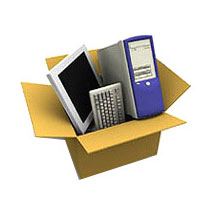

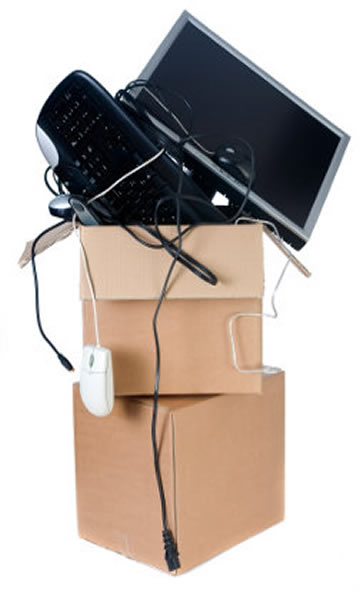
Computers are the essential part of your office space. Every work is done on computers. They are also very sensitive devices which need to be taken care of. You should look into these steps for packing your computers before relocation, as your work might suffer if any of these devices gets damaged in the process.